



































Introduction: The Growing Shift Towards Remote Work
The rise of remote work has been one of the most transformative trends in the global workforce, accelerated by the pandemic and the advancements in digital technology. By 2025, it is expected that remote work will no longer be a temporary adjustment but rather a permanent aspect of how businesses operate and employees engage with their roles. Whether it’s a hybrid model where employees split time between the office and home, or fully remote teams, the shift towards digital-first workspaces has changed the way we collaborate, communicate, and stay productive.
Remote work offers many benefits, including increased flexibility, cost savings, and improved work-life balance, but it also introduces new challenges. Without the physical proximity of colleagues, telecommuters must rely on digital tools to stay organized, communicate effectively, and maintain productivity. With a variety of tools available to manage tasks, organize projects, and safeguard sensitive information, the right tech stack can help remote workers maximize their efficiency while maintaining a sense of connection with their teams.
In this article, we explore seven essential digital tools that every telecommuter should use to thrive in the evolving remote work landscape in 2025. These tools address collaboration, project management, time management, cloud storage, virtual office setup, cybersecurity, and more, ensuring that remote work is not only feasible but also highly effective.
Collaboration Tools: Slack, Teams, and Beyond
When working remotely, maintaining clear communication with team members becomes essential. Collaboration tools like Slack, Microsoft Teams, and other messaging platforms are no longer just convenient; they are necessary for real-time communication, file sharing, and team coordination.
- Slack: A favorite among remote teams, Slack allows for instant messaging, organized channels for different projects or teams, and seamless integrations with other apps like Google Drive, Zoom, and Trello. It makes conversations easy to track and keeps the team connected without overwhelming email inboxes. Slack’s threaded conversations allow for focused discussions and its integration with productivity tools ensures a smooth workflow.
- Microsoft Teams: For businesses that already rely on Microsoft’s ecosystem, Teams offers a powerful collaboration platform. Teams integrates perfectly with Office 365, allowing seamless collaboration on Word documents, Excel sheets, and PowerPoint presentations. Teams also offers video conferencing, file sharing, and task management features, making it an all-in-one solution for remote teams.
- Alternative Tools: While Slack and Teams are two of the most popular tools, there are other options such as Discord, Google Chat, and Twist, each with unique features that cater to different work styles. Exploring alternatives allows telecommuters to find the best tool that suits their team’s communication needs.
Project Management Software: Organizing Work with Asana, Trello, and More
Keeping track of projects, tasks, and deadlines is crucial in a remote work environment. Project management software is designed to help teams stay organized, prioritize tasks, and track progress, regardless of location.
- Asana: Asana is one of the most popular project management tools for remote teams, offering features like task assignment, project timelines, and team calendars. It allows workers to break down large projects into smaller, manageable tasks and keep everything on track. With automated reminders and progress tracking, Asana helps ensure that nothing slips through the cracks.
- Trello: Trello is an intuitive tool that uses boards, lists, and cards to organize tasks. Its visual format makes it easy to see what’s in progress, what’s completed, and what still needs attention. Trello is perfect for teams that like to work in a more flexible, visual way and is especially useful for smaller projects or teams that need a simple yet effective way to stay organized.
- Monday.com: Another option for remote teams, Monday.com is a versatile project management platform that provides a range of customizable templates, dashboards, and automation tools to keep projects running smoothly. It’s highly flexible and integrates with a variety of third-party tools to streamline workflows.
- ClickUp: ClickUp brings a host of project management features into one platform, including task tracking, time management, goal setting, and reporting. It’s especially useful for remote teams that need detailed reporting and performance metrics to stay aligned on objectives.

Time Management Tools: Staying Productive with Digital Timers and Apps
Remote work offers flexibility, but without structure, it can be easy to lose focus and become distracted. Time management tools help workers set clear goals, track their time, and stay on task throughout the day.
- Pomodoro Technique Apps: Tools like Focus Booster, Be Focused, and Pomodone utilize the Pomodoro Technique—working in focused 25-minute intervals followed by short breaks—to improve productivity. These apps help telecommuters stay on task while preventing burnout by encouraging regular breaks.
- Toggl: Toggl is a time-tracking tool that helps users monitor the time they spend on specific tasks. By tracking hours worked, Toggl provides valuable insights into how time is allocated, allowing workers to optimize their schedules and maintain a better work-life balance.
- RescueTime: This tool works in the background to track the time spent on websites and apps. It provides detailed reports on productivity patterns and helps users identify time-wasting habits, enabling them to improve their focus and efficiency.
- Forest: A unique time management app, Forest helps remote workers focus by encouraging them to stay off their phones. As users focus on tasks, a virtual tree grows; if they leave the app to check social media, the tree dies. It’s a fun and engaging way to promote sustained focus and productivity.
Cloud Storage: Secure and Accessible File Sharing
Cloud storage has become an indispensable tool for remote workers, offering secure, accessible, and easily shareable storage for files and documents. Without physical office space, cloud storage ensures that team members can access and collaborate on files from anywhere.
- Google Drive: Google Drive offers cloud storage with seamless integration into Google Docs, Sheets, and Slides. It allows remote teams to collaborate on documents in real-time, providing version control and easy file-sharing capabilities. Google’s security measures ensure that files are safe, and its user-friendly interface makes it a popular choice for remote teams.
- Dropbox: Dropbox is a cloud storage service known for its simplicity and ease of use. It allows users to upload and share files, create collaborative folders, and store large documents. Dropbox also integrates with a range of third-party apps, making it a versatile choice for remote teams.
- OneDrive: For teams that use Microsoft’s Office suite, OneDrive is an ideal option for cloud storage. Like Google Drive, OneDrive offers seamless integration with Office apps, allowing teams to collaborate on documents and spreadsheets in real-time.
- Box: Box is a cloud storage platform designed for businesses, offering strong security features and comprehensive file-sharing capabilities. With enterprise-grade encryption and compliance with industry standards, Box is particularly suited for teams dealing with sensitive information.
Virtual Office Solutions: Creating a Productive Home Office with Tech
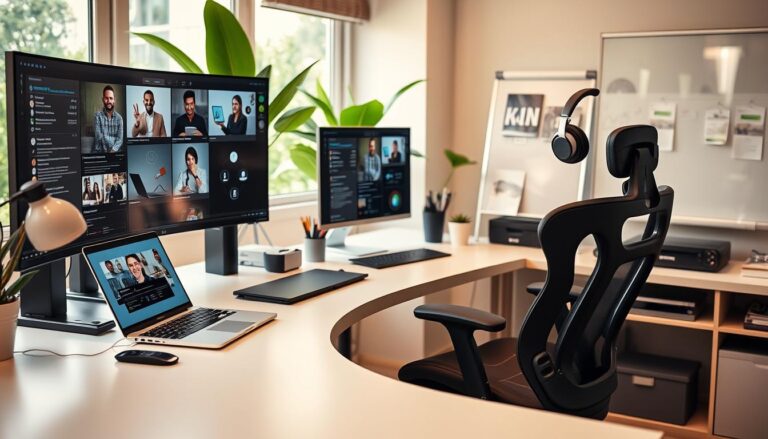
As remote workers continue to set up home offices, the importance of having the right tech tools to create a comfortable, productive, and distraction-free work environment cannot be overstated.
- Noise-Cancelling Headphones: Tools like Bose, Sony, and Sennheiser noise-cancelling headphones are essential for remote workers who need to focus in noisy environments. These headphones can reduce background noise and improve call quality during virtual meetings, making them a must-have for many telecommuters.
- Ergonomic Office Furniture: An ergonomic chair and adjustable desk are crucial to maintaining physical health while working remotely. Products from brands like Fully, Autonomous, and Steelcase offer options that can help workers maintain proper posture and prevent discomfort or long-term health issues.
- High-Quality Webcams and Microphones: A good webcam and microphone are essential for clear and professional video calls. Brands like Logitech, Razer, and Blue Yeti offer high-quality, affordable options for remote workers who want to improve their virtual presence.
- Cloud-Based Collaboration Suites: As remote workforces grow, creating a virtual office space with platforms like Microsoft Teams, Slack, and Zoom becomes essential for maintaining communication and collaboration.
Cybersecurity Essentials: Keeping Work Safe from Home
Remote work opens up new vulnerabilities for businesses and employees alike. Cybersecurity tools are critical in ensuring that sensitive data and communications are kept safe from threats like hacking, phishing, and data breaches.
- VPN (Virtual Private Network): A VPN is essential for securing internet connections when working remotely. It encrypts your internet traffic, ensuring that your online activity is private and safe from hackers, especially when using public Wi-Fi.
- Two-Factor Authentication (2FA): 2FA is an essential security feature that requires a second layer of verification when logging into accounts. Whether it’s through a phone app or email, 2FA significantly reduces the risk of unauthorized access to sensitive work accounts.
- Antivirus Software: Tools like Norton, McAfee, and Bitdefender help protect remote workers from malware, ransomware, and other cybersecurity threats. Keeping antivirus software up-to-date is a must for safeguarding against online threats.
- Password Managers: Password managers like LastPass and Dashlane make it easier to create and store strong, unique passwords for all accounts. These tools enhance security and reduce the likelihood of password-related breaches.
Conclusion: How to Thrive in the Digital-First Workspace
As remote work becomes more entrenched in the professional landscape, the tools and technologies that support telecommuting will continue to evolve. By integrating the right digital tools, remote workers can optimize productivity, maintain seamless communication, and ensure that their work is both secure and efficient. With the combination of collaboration platforms, project management software, time management
apps, cloud storage, and cybersecurity solutions, remote workers can create a digital workspace that maximizes their potential. By 2025, mastering these tools will be essential to thriving in the digital-first work environment, ensuring that remote teams stay connected, organized, and productive.













Discussion about this post